Agents inside HDL Commerce
Describe what you want done, right in the admin. The agent reads your catalogue, picks its tools, shows every step and leaves a suggestion. You review and approve.
Describe the job.
The agent does the work.
One sentence in the admin is enough. The agent plans, shows the steps and leaves a suggestion waiting for you.
Suggestions first. Publishing when you say so.
The agent uses the same API as the admin. What your roles do not allow it to do, it cannot do at all. Every step is written to the activity log and the result lands as a draft, never straight live.
Describe.
Follow the steps.
Approve.
Nothing is published without you.
Now in HDL Commerce
Agent Mode
Included in Light and Enterprise
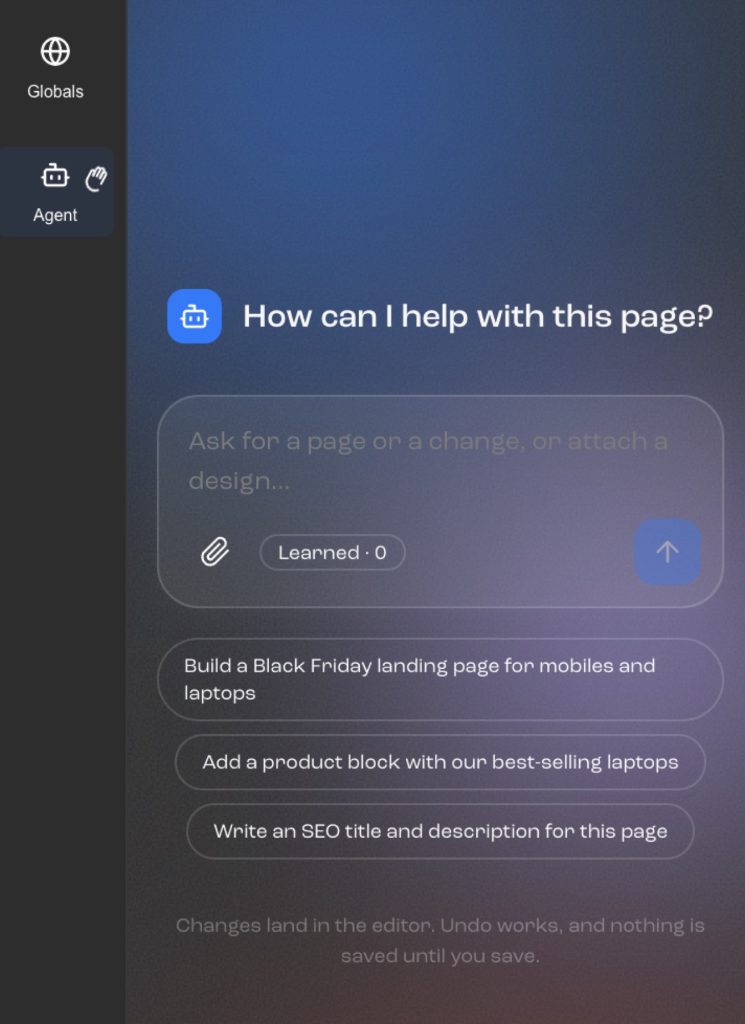
Four agents
Four agents, one way of working
Build a page
- Picks blocks from your library, custom modules included
- Writes the heading and the intro from your assortment
- Leaves a draft in Visual Page Builder
- You adjust and publish per channel
Create a campaign
- A price rule or a campaign price list
- Scoped by category, customer group and channel
- Checks for clashes with other rules
- Goes live when you approve it
Improve product content
- Finds products with no description, image or attributes
- Writes suggestions from the PIM fields through the Enrichment API
- Per language and channel
- A review queue with before and after
Optimise the page for search
- Meta title, description and alt text
- Heading structure and internal links
- Uses search data for the category
- Changes saved as drafts on the page
How an agent works
Describe. Follow the steps. Approve.
One sentence in the admin is enough. The agent asks if anything is unclear, such as which customer group or channel you mean.
YouIt shows which tools it intends to use, and in what order, before it starts. You can strike steps out.
The agentEach step is ticked off as it runs and written to the activity log. The result lands as a draft, never straight live.
The agent · the platformReview the suggestion, change what needs changing and publish. Or throw it away. Nothing happens in your store until you say so.
YouChoose where you work, not what you get
In the admin or in the chat. The same agents.
Inside HDL Commerce
For those already working in the admin who want the page builder, the PIM and the campaign tools in front of them.
- The result opens where it belongsThe page in Visual Page Builder, the rule in Pricing, the copy in the PIM
- Roles and permissions from the adminThe agent can do no more than the person asking
- Review queueBefore and after, approve one at a time or all at once
In your AI chat
For those who already have Claude, ChatGPT or Cursor open and want the store as one tool among several.
- Combine it with other connectorsFortnox, Business Central, Slack, Drive in the same conversation
- Questions and follow-upFigures, orders and customers without opening the admin
- The same drafts and the same approvalChanges wait in the admin until you approve them
An agent that can change your store has to be boring in the right places: suggestions first, every step visible, all of it in the activity log. The fast part is that you skip the clicking. The safe part is that you still decide.
Questions.
From merchants and editors.
Can the agent publish anything by itself?+
No. Everything the agent creates or changes lands as a draft or a suggestion. Publishing, activation and price changes need someone with the right permission to approve them.
What may the agent see?+
What the signed-in user may see. The agent inherits roles and permissions from the admin and cannot get around them.
Which model does it use?+
The agents run on Claude through the platform. You need no account and no keys of your own for Agent Mode.
Does it work with our own modules and blocks?+
Yes. The agent reads the block library and the modules’ fields and uses them the way an editor would.
Does it cost extra?+
No. Agent Mode is included in Light and Enterprise. No transaction fees. See pricing.
Give the agent a job in your store
During the demo we run Agent Mode on your own assortment: a page, a campaign and a round of product copy. You see the steps and decide what gets approved.